
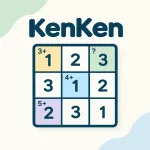
KenKen










About KenKen
KenKen is a math and logic puzzle that combines Sudoku-style grids with arithmetic clues. Fill each row and column while solving every numbered region.
KenKen combines number placement with simple arithmetic to create a puzzle that rewards both logic and calculation. Each board contains a grid divided into regions, with every region showing a target number and an arithmetic operation.
THE LOGIC BEHIND EACH REGION
In KenKen, the numbers inside that region must combine using the indicated operation to produce that target.
For example, multiplication clues require the selected numbers to multiply to the target, while additional clues require their total to match the displayed number. Division and subtraction clues also require the numbers to produce the correct result.
Key Rules
- Grid numbers: Available numbers range from 1 to the size of the grid.
- Row rule: Every number appears only once in each row.
- Column rule: Every number appears only once in each column.
- Region rule: Numbers inside each region must satisfy its arithmetic clue.
- Repeated numbers: Duplicate numbers can appear within the same region when the regional calculation allows them.
Smart Notes for Tricky Squares
Pencil marks can help when several numbers remain possible. Right-clicking a square and typing a number adds or removes that number as a small note, making it easier to track possible choices without committing to them.
The M key offers another useful option. Pressing it after selecting the puzzle fills every square with a complete set of pencil marks, giving you a starting point for systematic elimination.
Steps for Solving KenKen
- Check the grid size to determine which numbers are available.
- Study the arithmetic regions and note their target numbers and operations.
- Look at each row and column for numbers that are already present.
- Consider possible combinations that can satisfy each regional clue.
- Place a number when the row, column, and region rules all support it.
- Use pencil marks when more than one number remains possible.
- Review the entire grid as new numbers reveal more restrictions.
- Complete every region while keeping all rows and columns valid.
Keyboard Controls
- Number placement: Click a square and type the desired number.
- Erase: Select a filled square and press Backspace.
- Pencil marks: Right-click a square, then type a number to add or remove it as a possible choice.
- Full pencil marks: Click the puzzle and press M to fill every square with possible-number notes.
SIMILAR GAMES

Categories And Tags of KenKen
KenKen is a math and logic puzzle that combines Sudoku-style grids with arithmetic clues. Fill each row and column while solving every numbered region.